 NASJI
NASJIFree · Nothing uploaded · No sign-up

Nasjicad — Free DWG Viewer Online
Open a .dwg file in your browser and see every layer, block and dimension the way the drafter left it — no viewer to install, no account, and the file never leaves your device. It is a complete CAD, so you can measure, print, edit and save as well.
Try Nasjicad with our sample drawing
Open our original 6 × 4 m test drawing with separate wall, furniture and annotation layers. Hide the furniture layer, measure a wall, then edit and save a copy. No account or desktop installation is required.
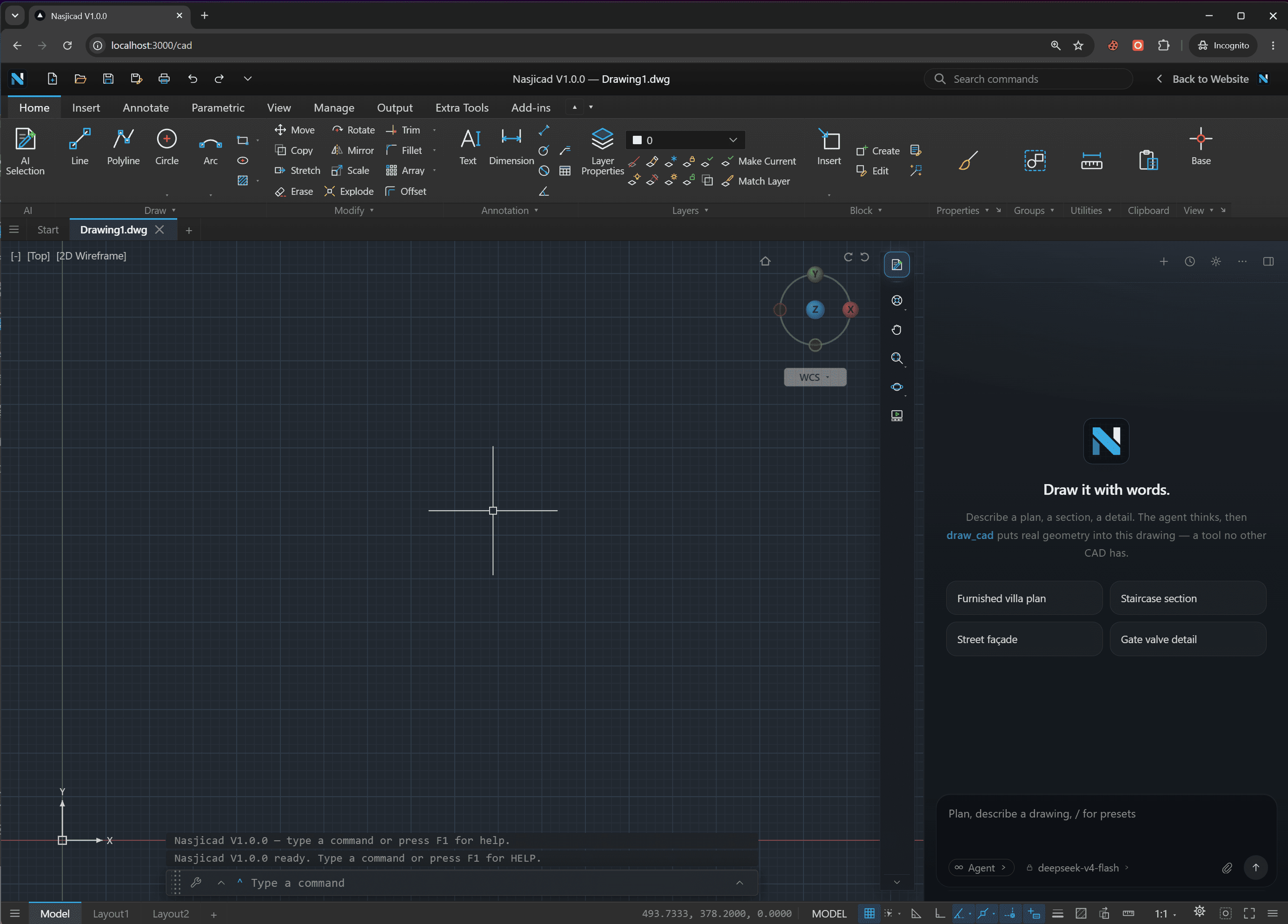
This is what opens
Not a picture of your drawing — the drawing, in a real CAD
Every layer, block and dimension
The file is decoded on your device and drawn as CAD geometry: freeze a layer, snap to an endpoint, read a dimension the way the drafter left it.
Measure, print, edit, save
DIST and AREA in the drawing's own units, PLOT to a PDF at scale, and if something needs fixing the full toolset is already open. Save back as DWG or DXF.
Nothing installed, nothing uploaded
The page is the whole install. Your file stays in browser storage on your own device; opening it does not upload it to our server.
How the online DWG viewer works
Drop the .dwg on this page
Or tap the button and pick it from your Files app. The page keeps the file in your browser's own storage — it never goes to a server, and the viewer is not waiting on an upload.
The CAD opens in this tab
The drawing is decoded on your device, on a background thread, so a 50 MB plan does not freeze the page while it loads. Layers, blocks, dimensions and hatches come up exactly as they were saved.
Look, measure — or keep working
Zoom to a detail, read a dimension, turn a layer off. If you need to change something, this is a full CAD: edit it and save the file back as DWG or DXF. Keep your saved copy; browser storage may retain local drawing data.
What you can do in the viewer
Most DWG viewer online tools stop at a picture you can zoom. This one opens the drawing in a real 2D CAD, which changes what a “viewer” can be.
Zoom and pan
Mouse wheel, trackpad or pinch. Zoom Extents brings the whole sheet back in one keystroke; a window zoom takes you to a corner detail.
Measure distances, angles and areas
DIST between two snapped points, AREA of a room outline, and the coordinates of any point — in the drawing's own units, so a metric plan reads in millimetres.
Layers on and off
Freeze the furniture to read the structure, isolate the dimensions, or switch the electrical layer back on. Colours and linetypes follow the layer table in the file.
Print to PDF
PLOT writes a PDF of the sheet or a window of it at a chosen scale, straight from the browser. For a quick page-fit PDF without opening the drawing, the DWG to PDF converter is one step.
Edit and save
Move a wall, retype a label, add a note, offset a line. It is the same program you would draft in — not a viewer with a pen tool — and it saves native DWG (2018) or DXF.
Any device, installable
Runs in Chrome, Edge, Safari and Firefox on Windows, Mac, Linux, iPhone, iPad and Android. Install it from the address bar and it opens like an app, offline too.
Measuring room by room? Takeoff lists every room’s area, the wall lengths and the door and window counts at once, free to look at. The Excel file is Pro.
Try it on a sample planWorks with
- DWG R12 to 2018
- Every version word from AC1009 to AC1032 — files from 1992 and files saved last week. Version 2019 to 2026 releases still write the 2018 format, so they open as well.
- DXF, ASCII or binary
- The same viewer reads DXF, so a laser-cutter export opens next to the plan it came from. There is a DXF viewer page if that is what you have.
- Blocks, xref-style nesting, hatches, dimensions
- Nested inserts, attribute text, associative hatches, dimension blocks, multileaders, splines, ellipses and 3D polylines all render; ACIS solids show their wireframe.
- Phones and tablets
- Touch mode: one finger pans, two fingers pinch, and a tap-and-drag picks points through a loupe so your finger does not hide the snap.
- Install as an app
- On desktop, the install icon in the address bar; on iPhone, Share ▸ Add to Home Screen. Once installed it opens offline and keeps a recent-files list.
- Large files
- Up to 100 MB in the browser. Past that, the desktop version for Windows and macOS has the memory to spare.
Why open DWG files online instead of installing a viewer
The traditional route to a .dwg viewer is a download: several hundred megabytes, administrator rights, an e-mail address to get the link, and a program that can look but not touch. It is a lot of ceremony to read a dimension off a plan a contractor just sent you — and it is no help at all on the phone the plan arrived on.
This free DWG viewer takes the other approach. The page you are on is the whole install: pick the file, it opens in a second in the same tab, and the decoding happens on your machine, so there is no upload to wait for and no server that has seen your drawing. Because it is the Nasjicad rather than a stripped-down dwg reader, the moment you need more than a look — measure a run, hide a layer, fix a label, print a sheet — the tools are already there. If you do want something on disk for offline work or very large files, the same program is a free desktop app for Windows and macOS.
One thing it is not: a document management system. Nothing is stored, shared or versioned here. You view DWG online, you save if you changed something, and you keep your own file.
Cold start in a browser, no cuts.
From a new tab to a drawn line, uncut
Opens in a second
A few megabytes of script and a canvas — no download wizard, no administrator prompt, no e-mail address to get a link.
Works on the phone the plan arrived on
Pinch to zoom, one finger to pan, a loupe for picking points. Add it to the home screen and it opens like an app.
A full CAD when you need one
The viewer is the Nasjicad with your file open. Free for personal and commercial use, no watermark, no limits.
DWG viewer — frequently asked questions
Open your DWG now.
Free, no account, nothing uploaded. Works on phones and tablets too.