 NASJI
NASJIFree · Nothing uploaded · No sign-up

Nasjicad — Free DXF Viewer Online
View a .dxf file in your browser — the outlines, layers and text exactly as exported — without uploading it or installing anything. Measure it, check the cut path, and edit and save if something is off.
Try Nasjicad with our sample drawing
Open our original 6 × 4 m test drawing with separate wall, furniture and annotation layers. Hide the furniture layer, measure a wall, then edit and save a copy. No account or desktop installation is required.
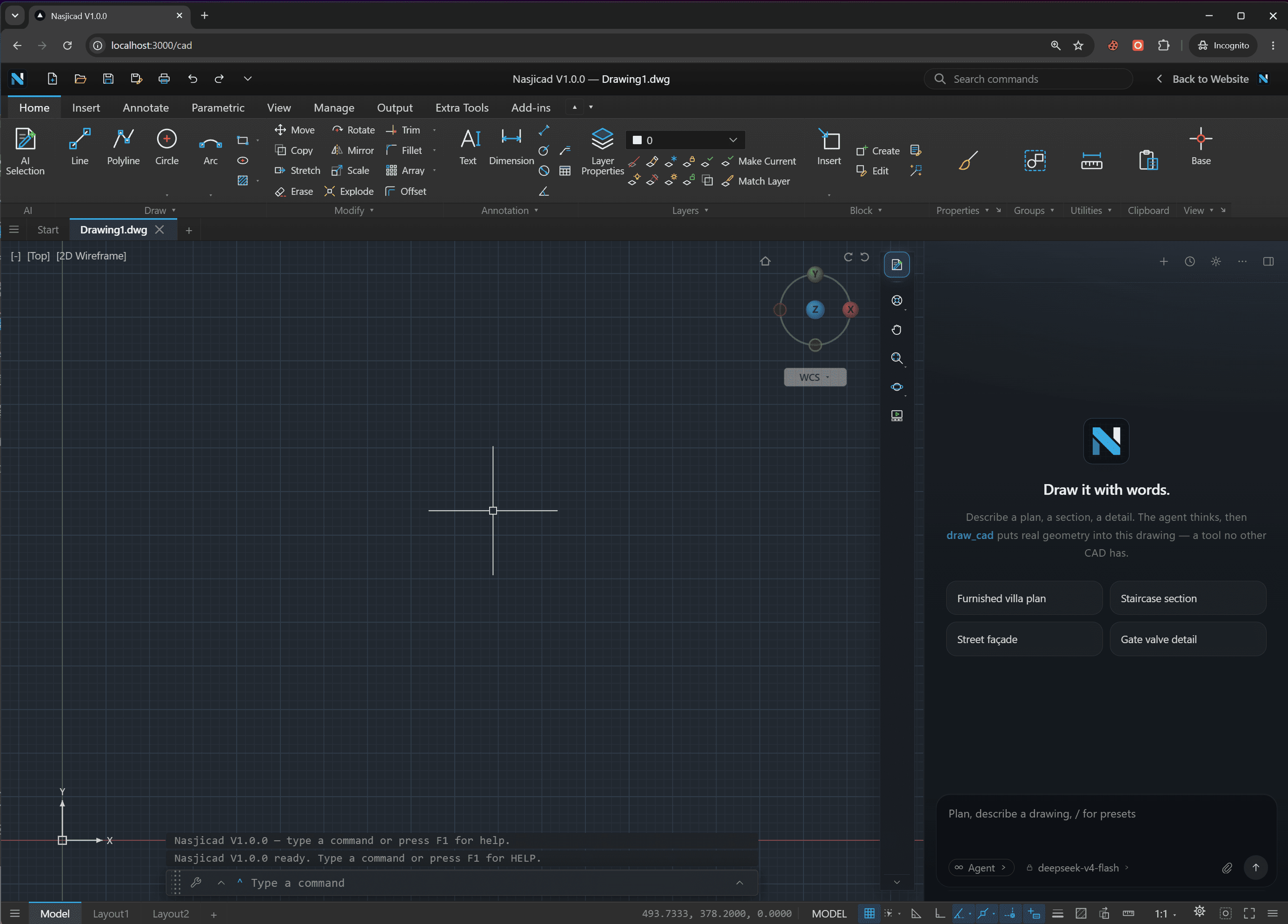
This is what opens
Your DXF in a real CAD, not a preview
Layers, blocks, dimensions, hatches
ASCII or binary, any release: the file is decoded on your device and drawn as CAD geometry you can snap to and measure.
Check a cut file before you send it
Open the laser or CNC export, measure a slot, confirm the units, hide a layer. If a line is wrong, fix it here and save the DXF again.
Nothing installed, nothing uploaded
The page is the whole install; the file never leaves your device. Close the tab and nothing is kept.
How the online DXF viewer works
Choose the .dxf
Drop it here or pick it from your device. ASCII and binary DXF are both fine, from an R12 export out of a 1990s tool to a 2018 file. It stays in your browser: no upload, no account.
It opens in the CAD, in this tab
The text is parsed on your device and the drawing appears with its layers, colours and linetypes. A DXF that is mostly one enormous polyline — a traced logo, a map — loads on a background thread so the page stays responsive.
Check it, measure it, fix it
See whether the cut path is closed, whether the units came through, whether the text is where it should be. If not, this is a real CAD: edit, then save as DXF again or as DWG.
What you can do with a DXF here
DXF is the file that travels — from a CAD to a cutter, from a designer to a machine shop, from an old program to a new one. This dxf file viewer is built for the questions that come up on arrival.
See what the cutter will see
A DXF headed for a laser, plasma, CNC router or vinyl cutter is usually judged by its outlines. Zoom in on a joint and you can tell an open contour from a closed one before the machine does.
Measure in the file's units
DIST and AREA read in whatever the DXF was drawn in. If a 100 mm part measures 3.937, the export was in inches — worth knowing before you cut.
Layers as the file defines them
Cut, score and engrave layers show in their own colours and can be switched off one at a time, which is how you check that nothing sits on the wrong one.
Text, dimensions, hatches, blocks
MTEXT paragraphs, dimension blocks, solid and pattern hatches, nested block inserts, splines, ellipses and 3D polylines all render — not only the lines and arcs a basic dxf viewer draws.
Edit and save
Join a broken outline, delete a construction line, move text off a cut path, add a tab. Save as DXF (R2000 ASCII, the one every machine reads) or as a native DWG.
Phones, tablets and as an app
Touch mode on iPhone, iPad and Android; installable from the address bar so it opens offline like a program of its own.
Works with
- DXF R12 to 2018
- $ACADVER AC1009 through AC1032. Older files with no version variable at all are read too — the reader does not refuse a file for a missing header.
- ASCII and binary
- Text DXF of any size, and the binary variant. Group codes are read by meaning, so a file with unusual ordering still loads.
- DWG as well
- The same viewer reads DWG, so you can open the original next to its DXF export. There is a dedicated DWG viewer page for that.
- Phones and tablets
- Touch mode with pinch zoom, a loupe for precise picks, and an action bar for Enter, Escape and Undo.
- Install as an app
- Chrome and Edge show an install icon in the address bar; Safari on iPhone uses Share ▸ Add to Home Screen. Works offline afterwards.
- Large exports
- Up to 100 MB in the browser — a DXF is text, so a 100 MB file is a big drawing. Larger ones are a job for the free desktop app.
Why a browser DXF viewer beats a download for most jobs
DXF is a plain-text format, and a surprising number of “viewers” for it are really converters in disguise: they upload your file, render it into an image on their server, and show you the picture. Fine for a glance, useless for the question you actually have — is this contour closed, is that 12 mm or 0.47 in, which layer is the engraving on. An image cannot answer that; a CAD can.
Here the file opens as geometry, in your browser, without an upload. You snap to an endpoint and measure. You turn layers off. And because it is the full Nasjicad rather than a viewer, when the answer is “no, that outline is open by half a millimetre”, you fix it and save the DXF back out — the R2000 ASCII kind every cutter and every other program reads — instead of going back to whoever exported it. When you want the whole thing as a picture or a PDF to send on, the DXF to SVG and DXF to PDF converters are one step each.
DXF viewer — frequently asked questions
Open your DXF now.
Free, no account, nothing uploaded. Saves as DXF, DWG, SVG or PDF.