 NASJI
NASJIFree forever · No sign-up · No watermark

JPG to DXF Converter
Turn a .jpg scan, photo or export into a DXF of editable polylines for CAD, laser cutting and CNC. Free, no watermark, no account.
Drop images here, or click to choose
Conversion starts immediately. Up to 100 MB per file. You can also paste a screenshot
Need walls, not just lines? In Nasjicad you set the real scale free, and Trace Pro turns the plan into clean walls, doors and windows on layers. The preview is free.
Open in Nasji, let AI clean it upHow to convert JPG to DXF
Upload your JPG file
Drop your .jpg on the converter, click to browse, or paste a screenshot with Ctrl+V.
We trace the lines
Otsu thresholding removes JPEG ringing before tracing, so the cut path follows the drawn line instead of the halo around it.
Download a real DXF
You get an R2000 ASCII DXF with editable LWPOLYLINE geometry — the open CAD exchange format — editable geometry, ready to draft on, not a picture to trace again.
What you get: lines, not pictures
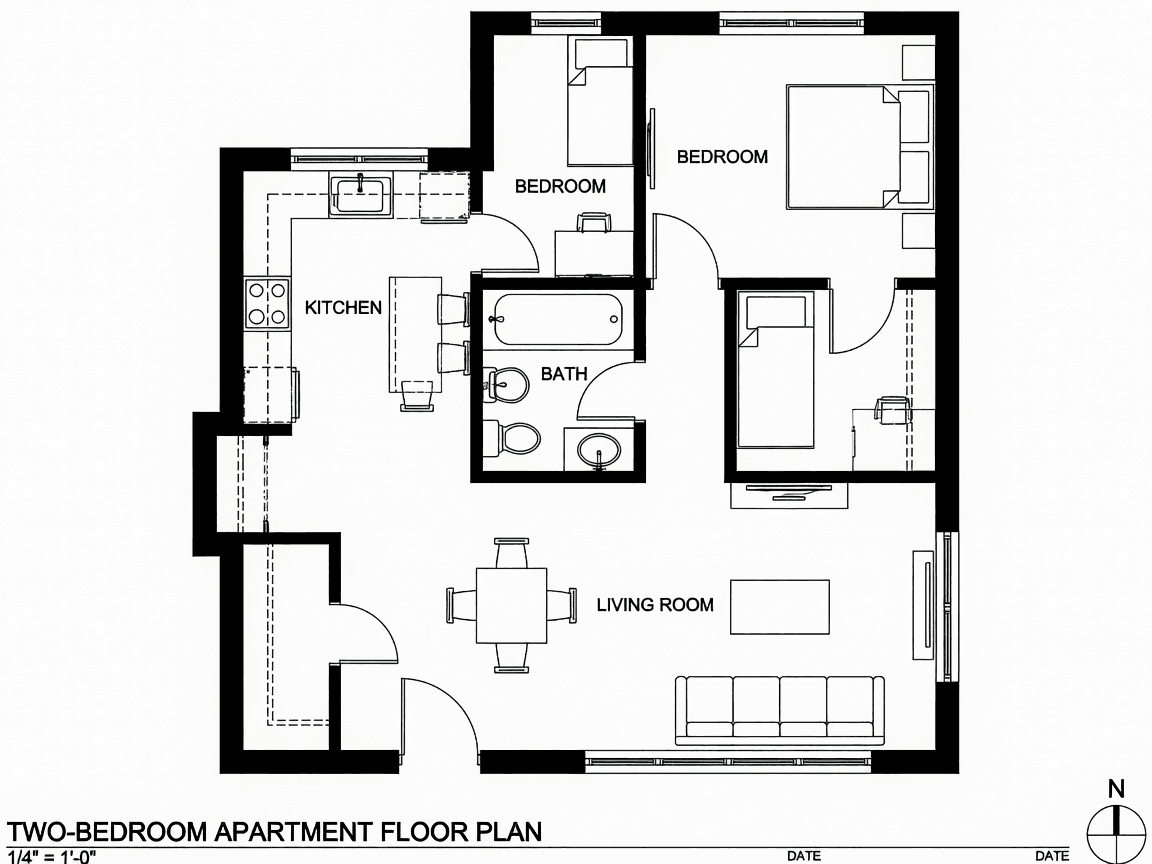
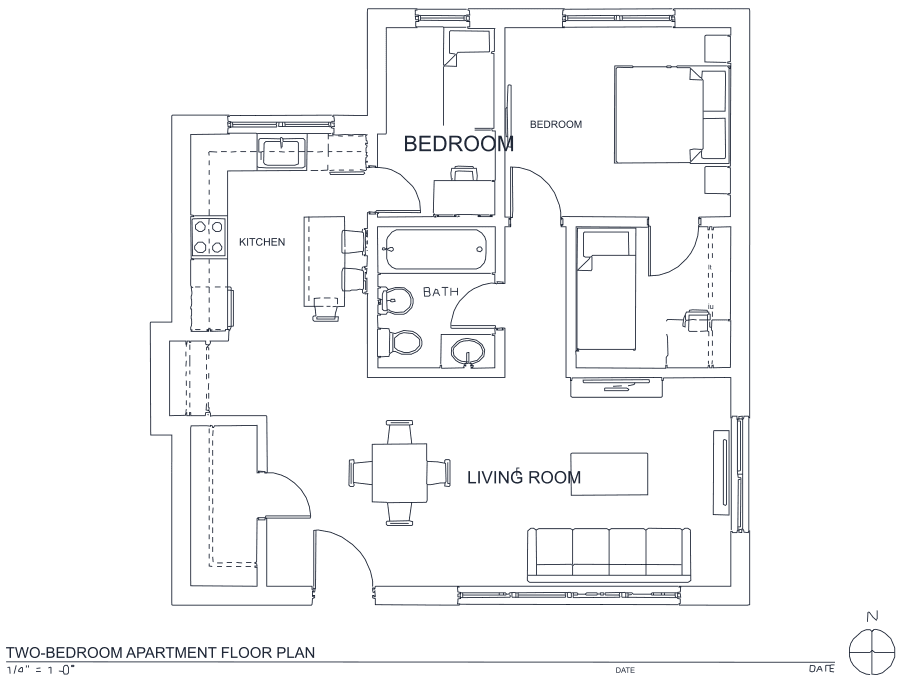
A floor plan with solid walls, furniture and text — and the CAD geometry this converter produces from it. Walls keep both faces, every thin line is a single editable polyline, and labels become real editable text.
About JPG to DXF conversion
JPG to DXF is the request that reveals the most about why naive tracers disappoint. The typical input is a photographed or scanned drawing and the typical destination is a machine — so every compression artifact that survives cleanup becomes a real cut in real material. JPEG's block transform surrounds every high-contrast edge with ringing and grey halos, and a tracer that treats grey as ink will happily produce a fuzzy double path around each line, doubling your cut time and ruining the part.
The threshold pass is what prevents that. The cut point is computed from each image's own histogram, so halo tones and paper colour fall to white and only the ink is measured. The remaining honest limitation is upstream: heavy compression physically removes thin lines inside the JPEG before you upload it, and no amount of processing invents them back. Scan at 300 DPI and quality 90 or better. Output is R2000 ASCII DXF, which LightBurn, VCarve, plasma controllers and vinyl cutters all read without an import step.
Frequently asked questions
Convert from a script or an AI agent
The same conversion is one HTTP call — no key, no account, no rate limit. The full machine-readable spec lives at /llms.txt.
curl -X POST https://nasji.com/api/convert \
  -F "[email protected]" \
  -F "target=dxf" \
  -o drawing.dxf