 NASJI
Is the AI agent free?
Modeling in Nasji Cube is free. The agent uses the same paid AI credits or AI plan as Nasjicad.
NASJI CUBE / AI AGENT
Say what to build, with its sizes. The agent draws, pushes and pulls, makes boxes and walls, floor plans and stairs, and moves, turns or erases them in your model. The result is ordinary geometry you keep editing.
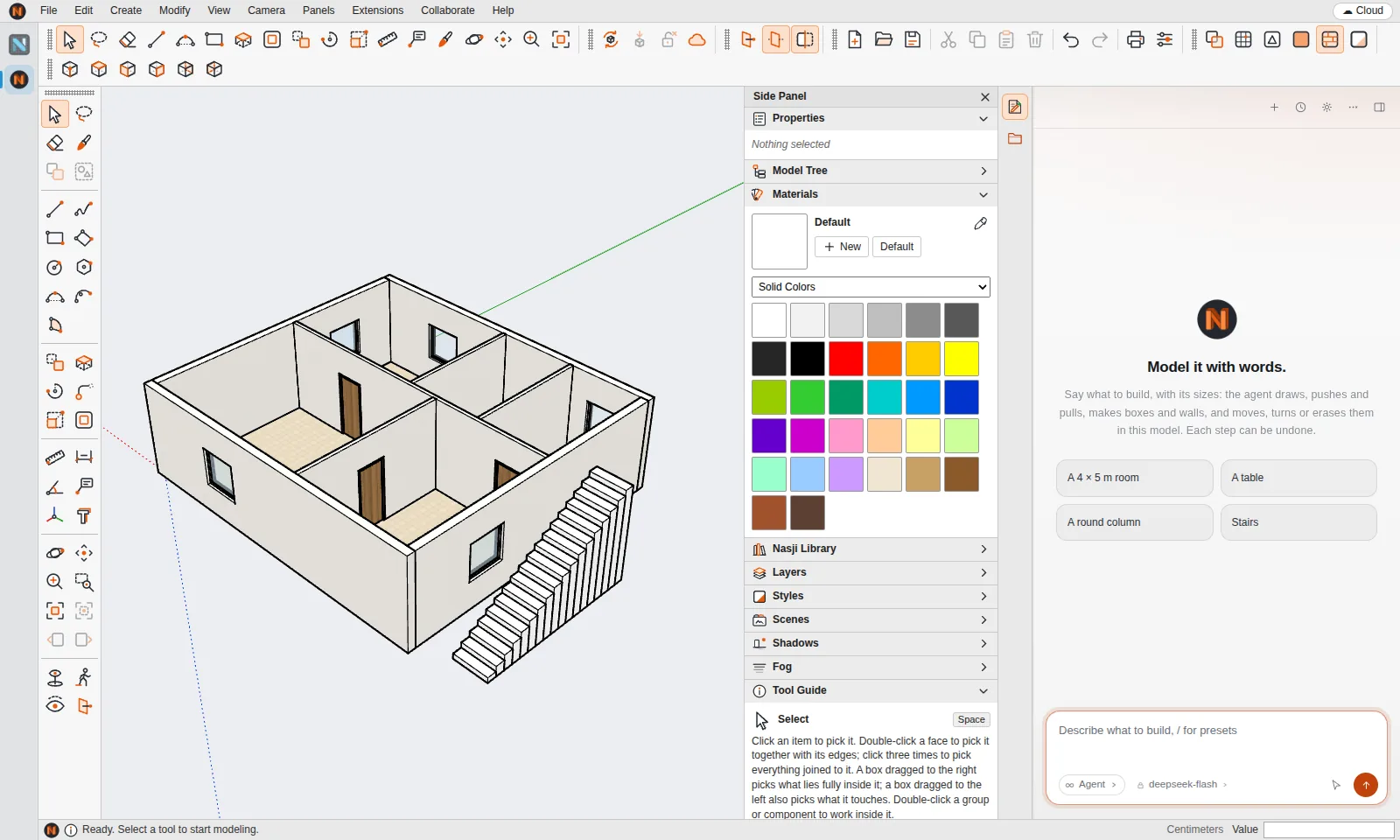
This house — living room, kitchen, bedroom, bath and office, with doors between the rooms, windows and a staircase — was made by the agent's floor-plan tool from one request, then shown with shadows.
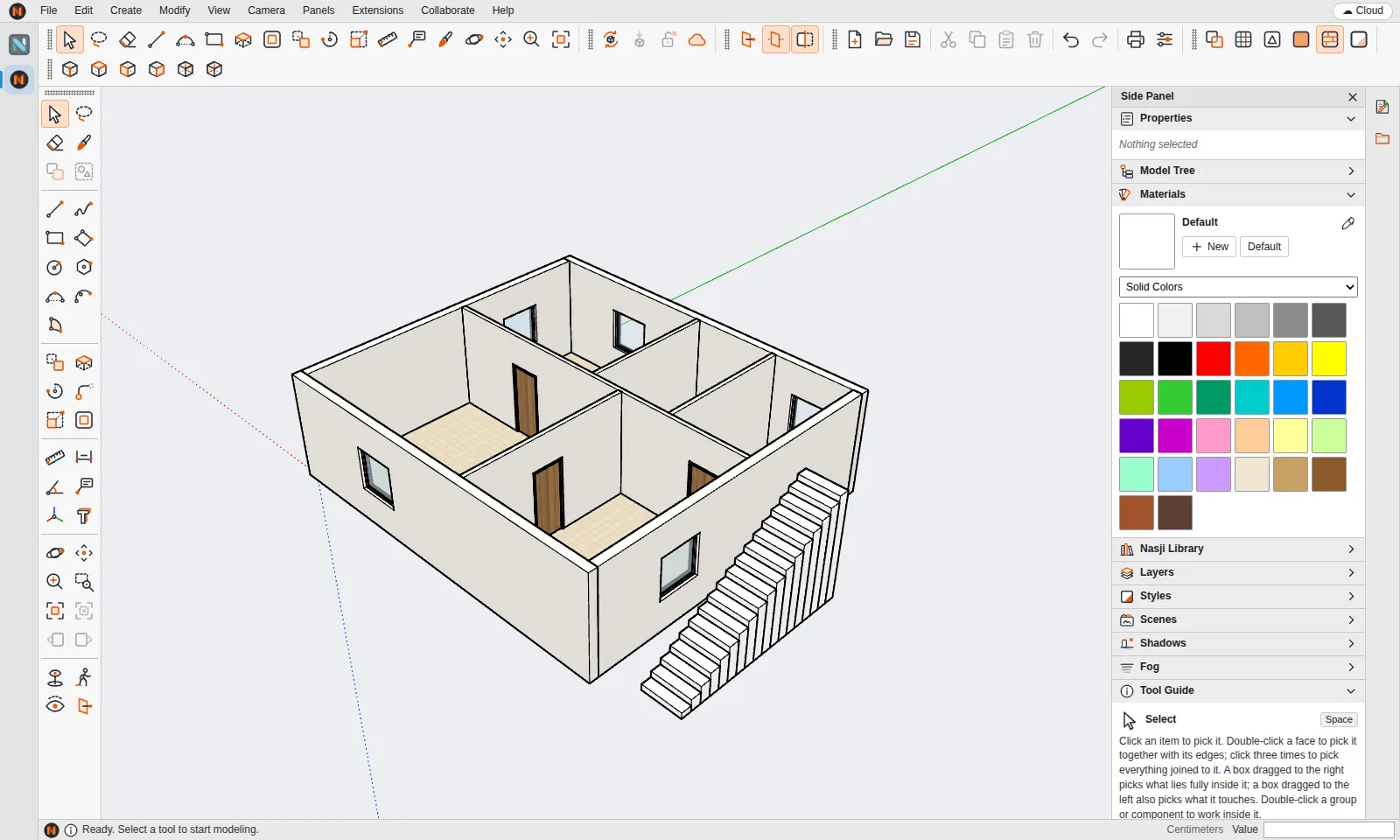
The agent works through the same tools you use: make a floor plan, a wall, a box, stairs, place a Gallery item, draw a plan, stand a DWG drawing up in 3D. It reports what it built — rooms, areas, doors and windows — so you can check it.
Give sizes and what to keep:
Click the agent button in the strip on the right.
Write what to build with its sizes, in English or Arabic.
Read the agent's report and orbit around the model.
Keep modeling by hand, or undo any step the agent made.
Modeling in Nasji Cube is free. The agent uses the same paid AI credits or AI plan as Nasjicad.
No. The agent creates real faces, groups and components in the model that you can edit, measure and save as .ncube or .skp.
SketchUp is a registered trademark of Trimble Inc. Nasji is not affiliated with, sponsored by or endorsed by Trimble. The name is used only to describe file compatibility.